 #1
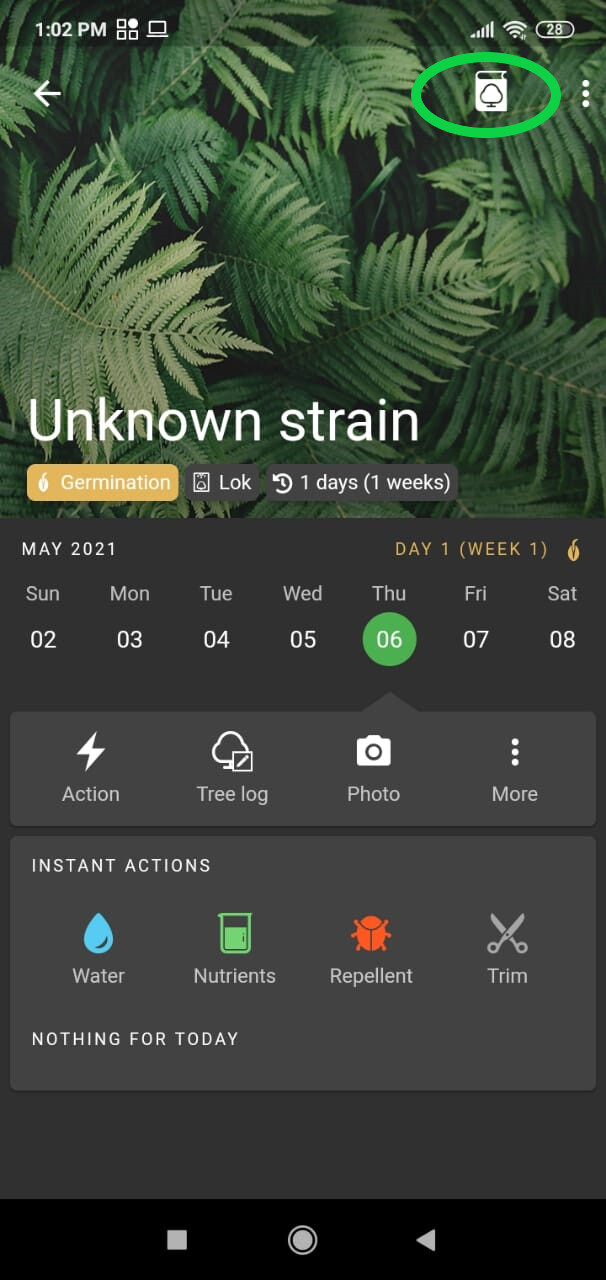
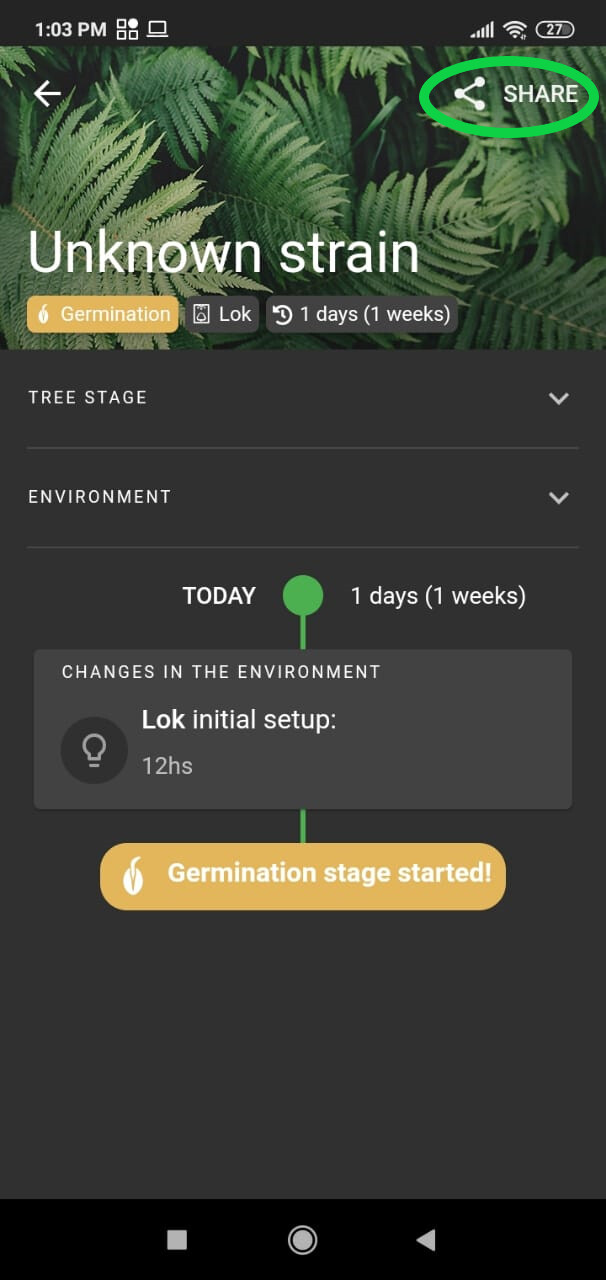
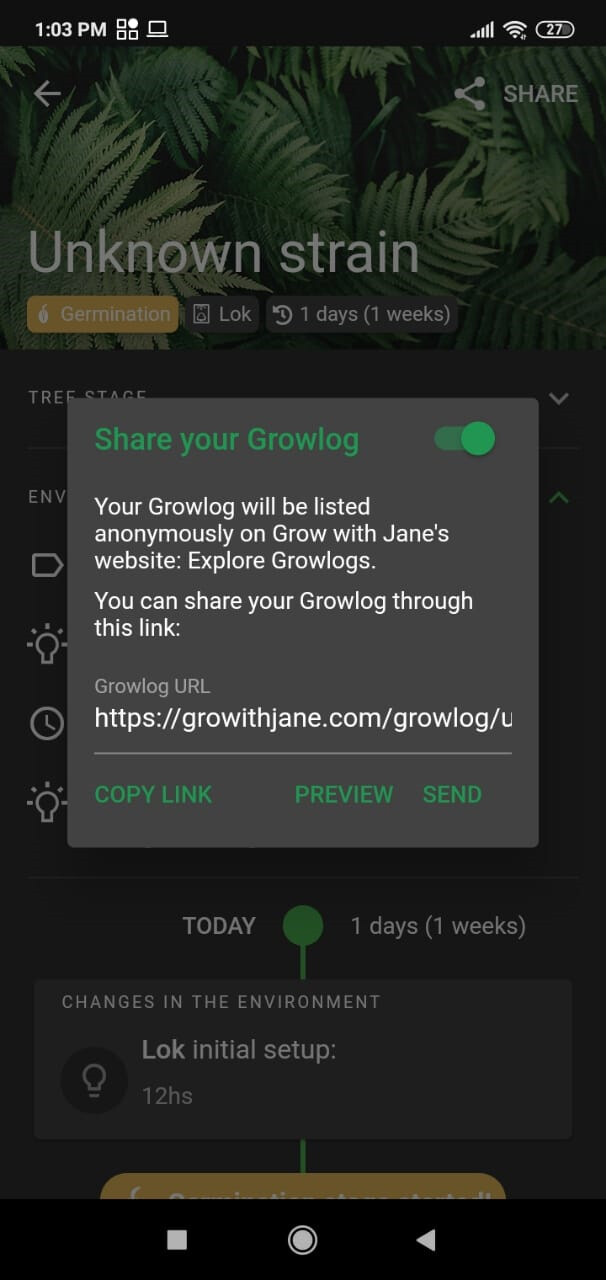
#1To share your Growlog:
- In the Grow with Jane app, tap on the plant’s name
- Tap on the Growlog icon at the top right corner and Share
- Copy the link
6 antworten · 1999 aufrufe
#1To share your Growlog:
#2 #5
#5I just tried it again and it wants me to share it with every app I have in my phone except this one
 #8
#8I have got mine up and going
 #9
#9Looking Dope Man 

 #11
#11oque vc fais
#6#7#3last I knew this wasnt working. I had to log in on a laptop and type in the address. Are you saying this feature is fixed. Because I reported this last fall.
#4Pictures and links only work from the desktop version. Due to an external issue on Discourse, we can’t change the way it works, although we want to, it is just not possible from the mobile version.
#12 #13#14#15#16